Click the “Detail” button to open the device detail page. For some devices, you can see the changes in sensor status on the page, such as alarms, temperature and humidity, PIR, Door, etc.
If the device’s last reported data was scanned by a gateway that supports connection, a connection button will be displayed.
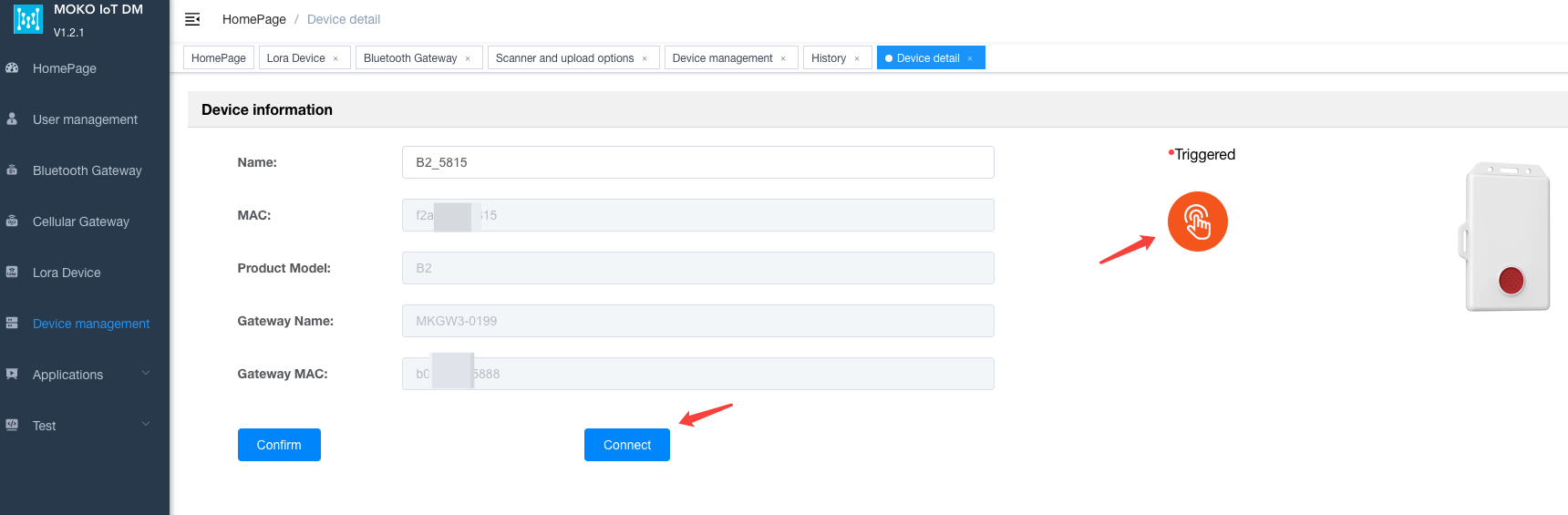
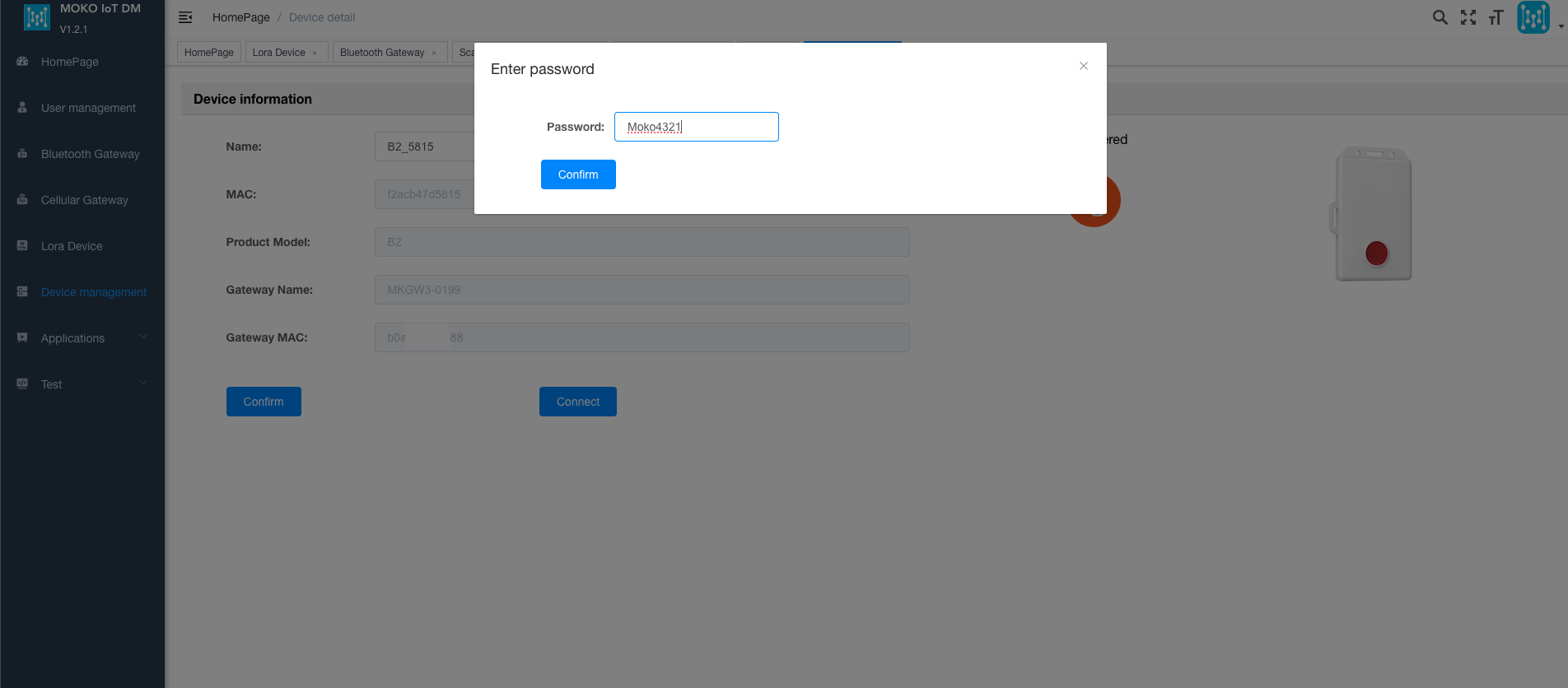
Click the “Connect” button, enter the password of the connected device, and the gateway will start to attempt to connect the device.
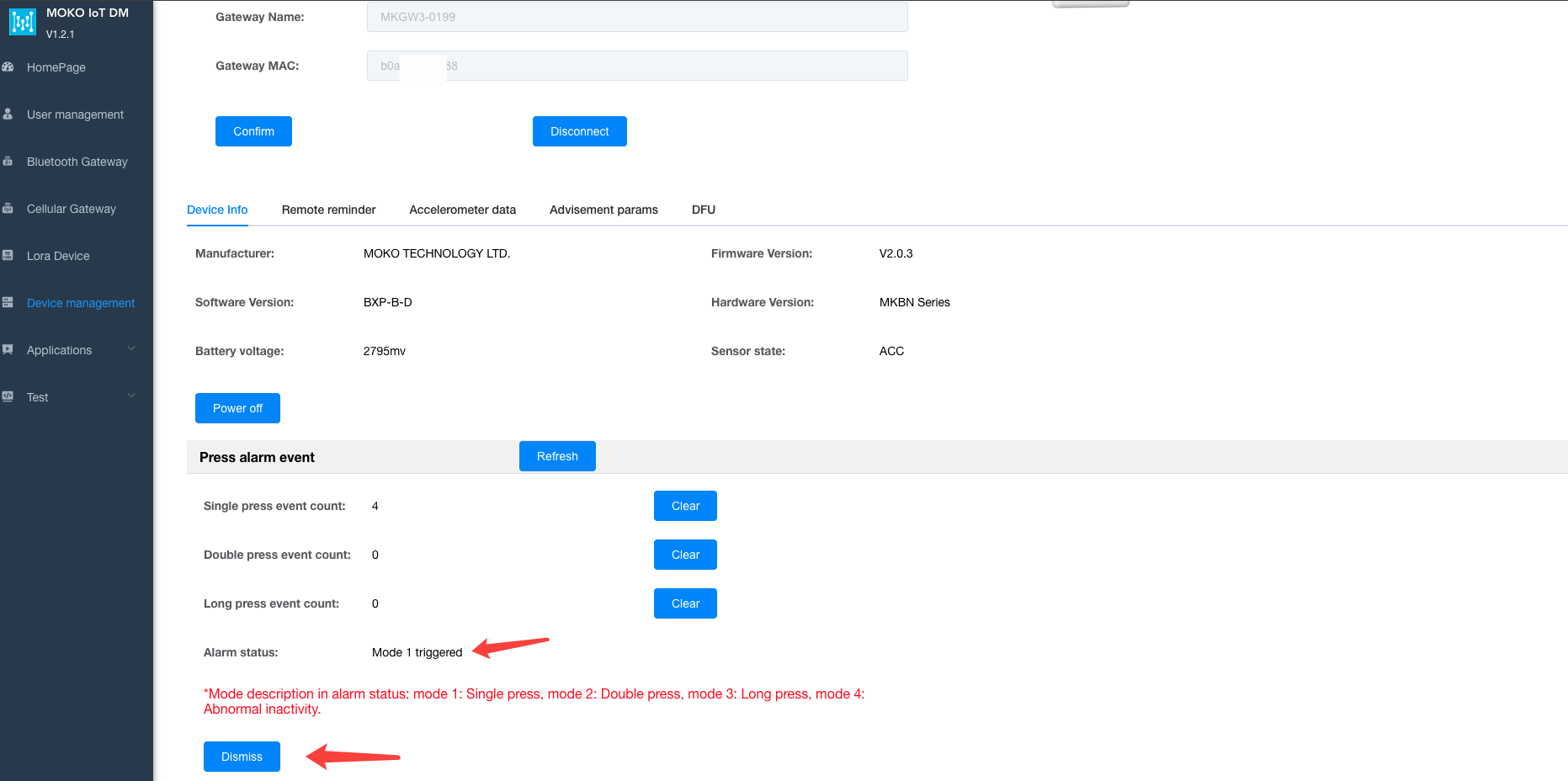
Take the B2 device as an example. When the device is in an alarm state, after the gateway connects to the device, the alarm can be eliminated by clicking the Dismiss button.
On this page, you can also configure some other parameters or OTA.
Author:admin Create time:2025-09-04 12:10
Last editor:admin Update time:2026-06-12 09:12
Last editor:admin Update time:2026-06-12 09:12