Clicking on “Detail” will open the gateway function parameter page. Users can configure the gateway’s network priority, MQTT parameters and OTA. Clicking the TAB will re-read the parameters of the current page
Note that after the network access method and MQTT parameters are changed, the gateway needs to be reboot for them to take effect.
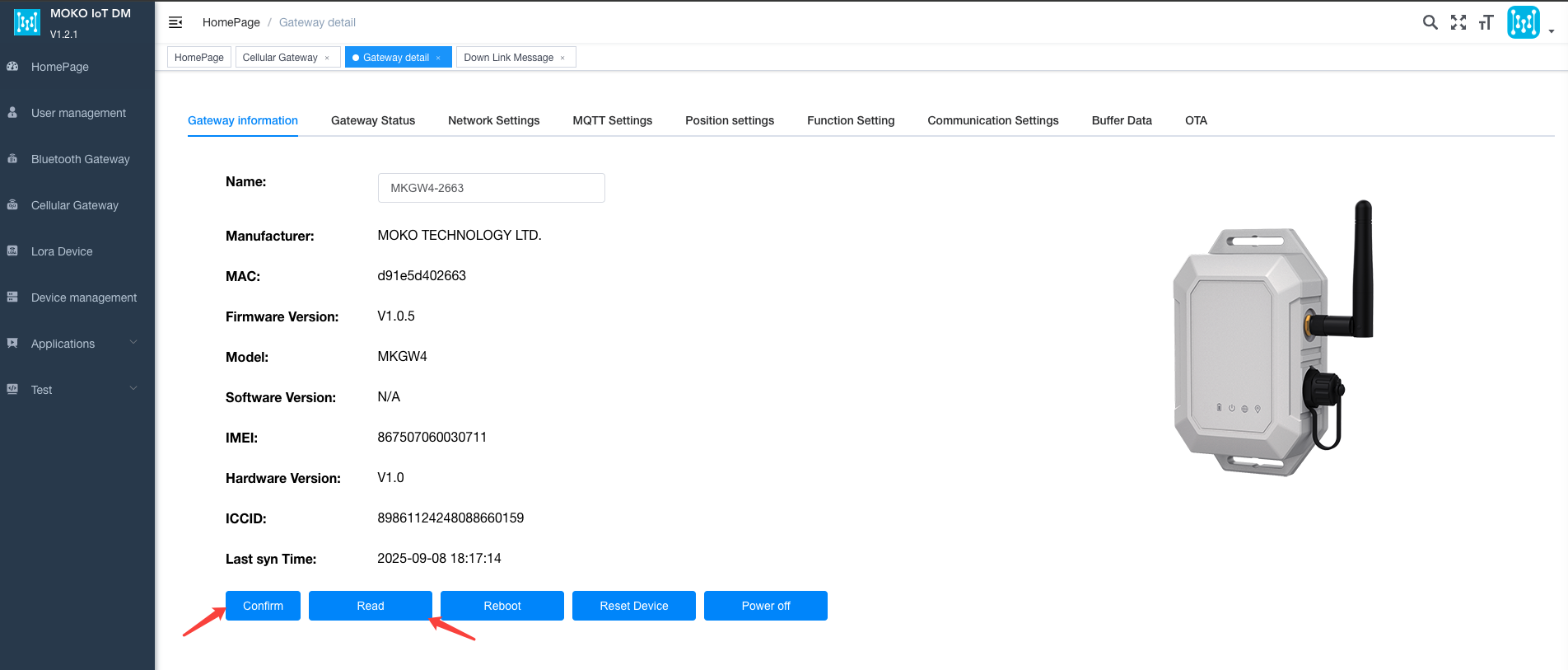
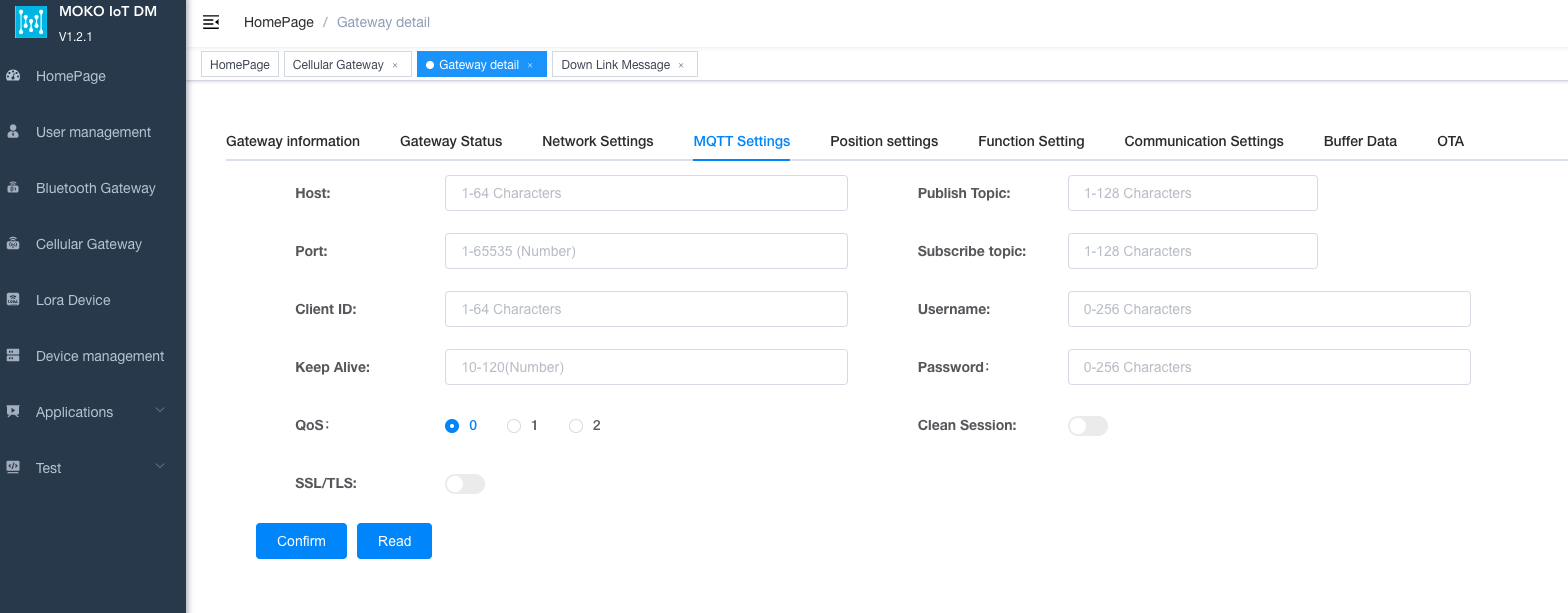
When configuring the cellular gateway for the first time, the parameters are empty. You need to manually read the parameters on this page.
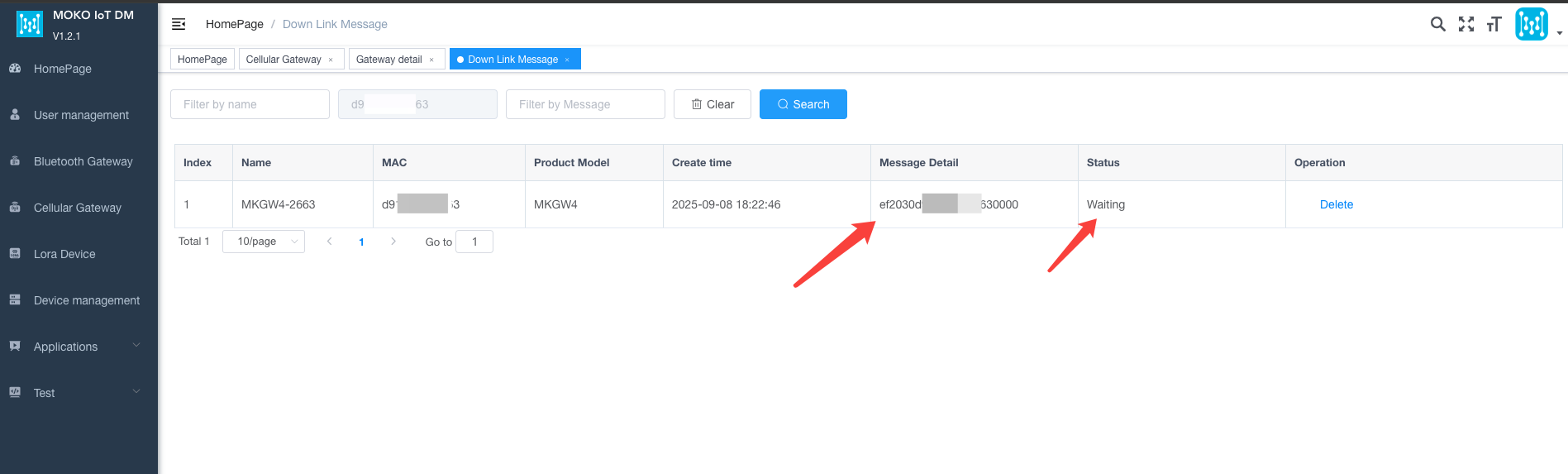
The data for reading parameters will be stored in the downlink message queue and sent after the gateway reports the data.
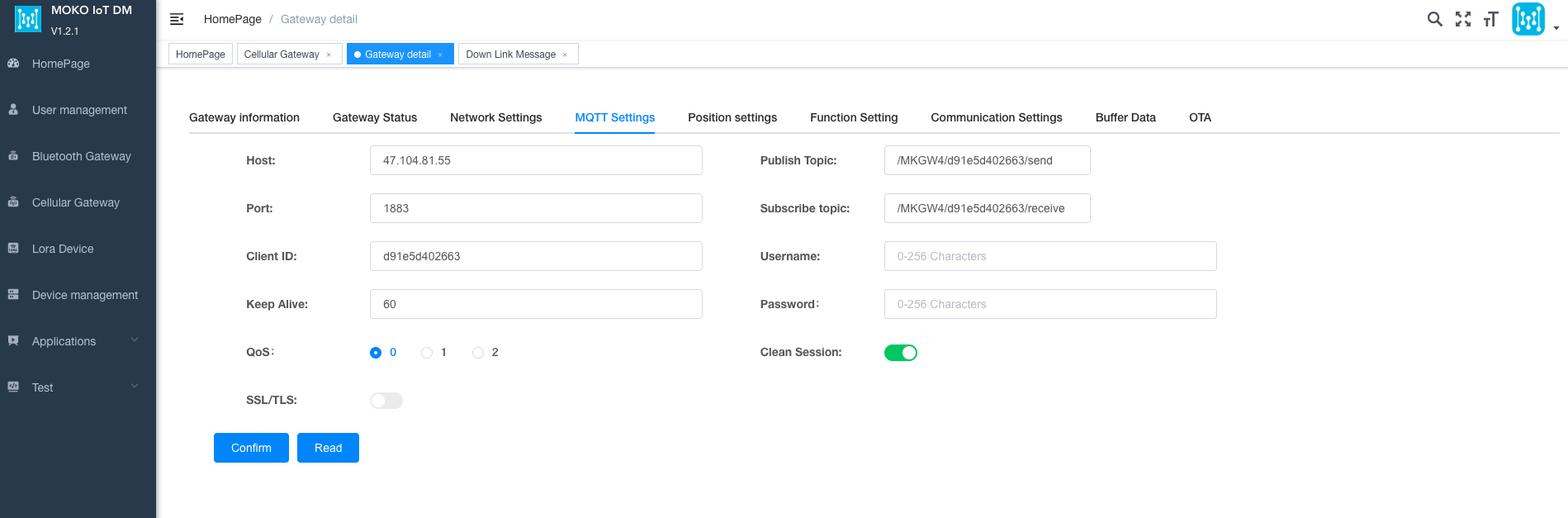
After the data is received, clicking the TAB title will reload the data of this page.
Author:admin Create time:2025-09-04 12:00
Last editor:admin Update time:2026-06-12 09:12
Last editor:admin Update time:2026-06-12 09:12