Device Remote Control
Once the device is connected to the sytem, users can remote control the device.
Go the “Remote control” page, and users can change the device parameters or upgrade the device firmware.
Remote Control
Go to “Remote control-command list” page, and users can choose send commands to single device or multiple devices.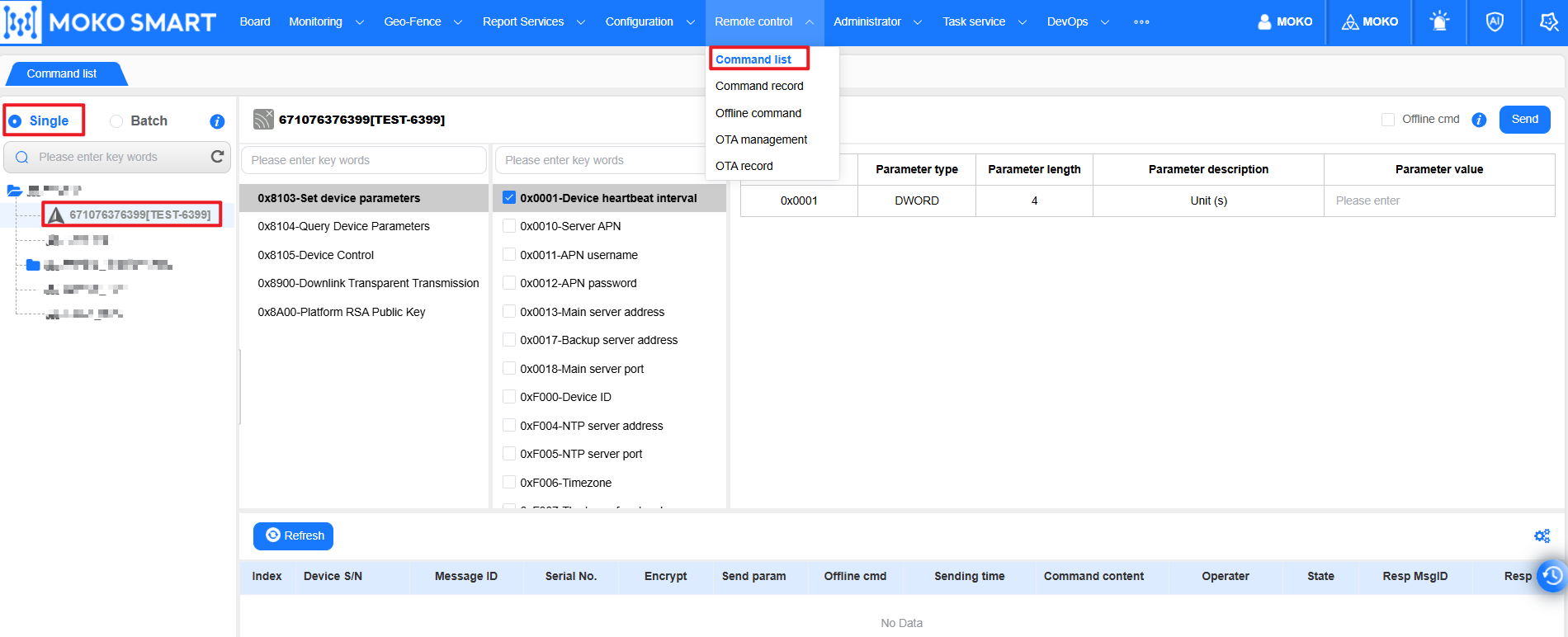
Step1: choose the device onthe device tree.
Step2: select the parameter type, and then choose the parameter you want to change
Step3: fill the parameter value in the blank, and click the “send” button
note: considering most of time the device will be in sleep mode, the real-time command may be missed by the device, to secure the command success, users can enable the “Offline cmd”, so that when the device back online, the device can receive the command.
OTA Management
Users can upgrade the device firmware remotely.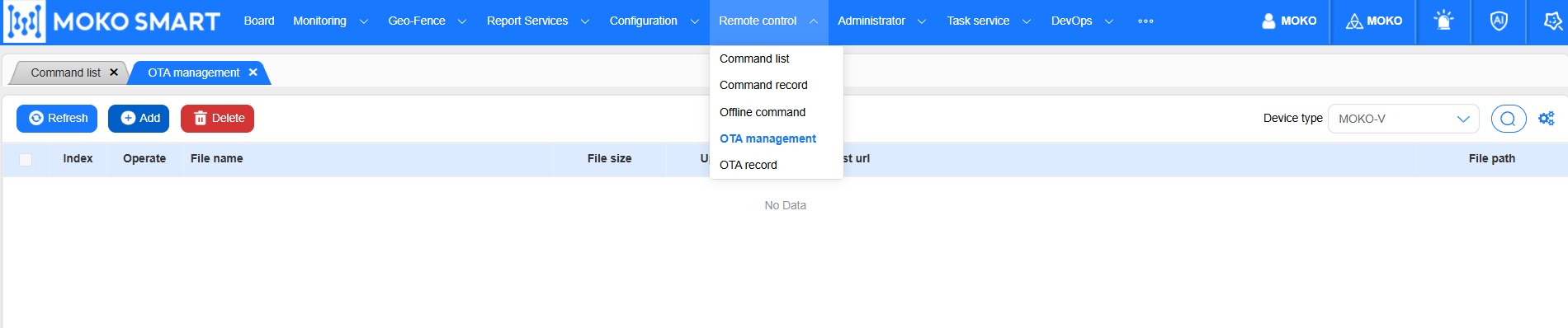
Step1: upload the new firmware. Click the “Add” button, and select the device type that you want to upgrade, and upload the firmware to the system.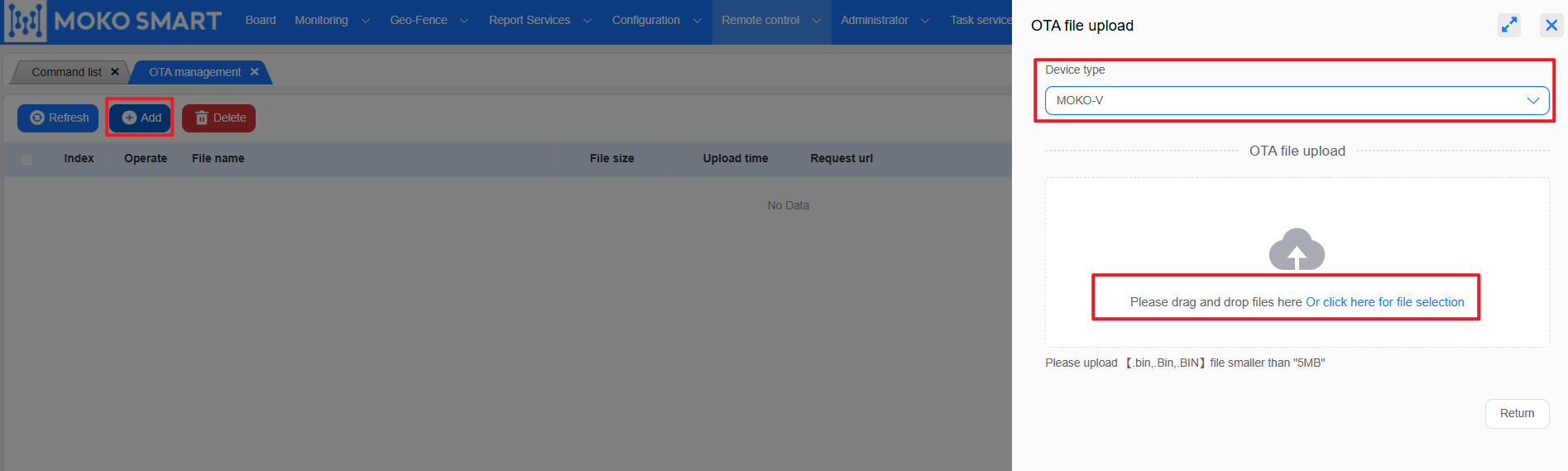
Step2: Click the “OTAUpgrade” icon
Step3: choose the device that you want to upgrade, and click the “Upgrade” button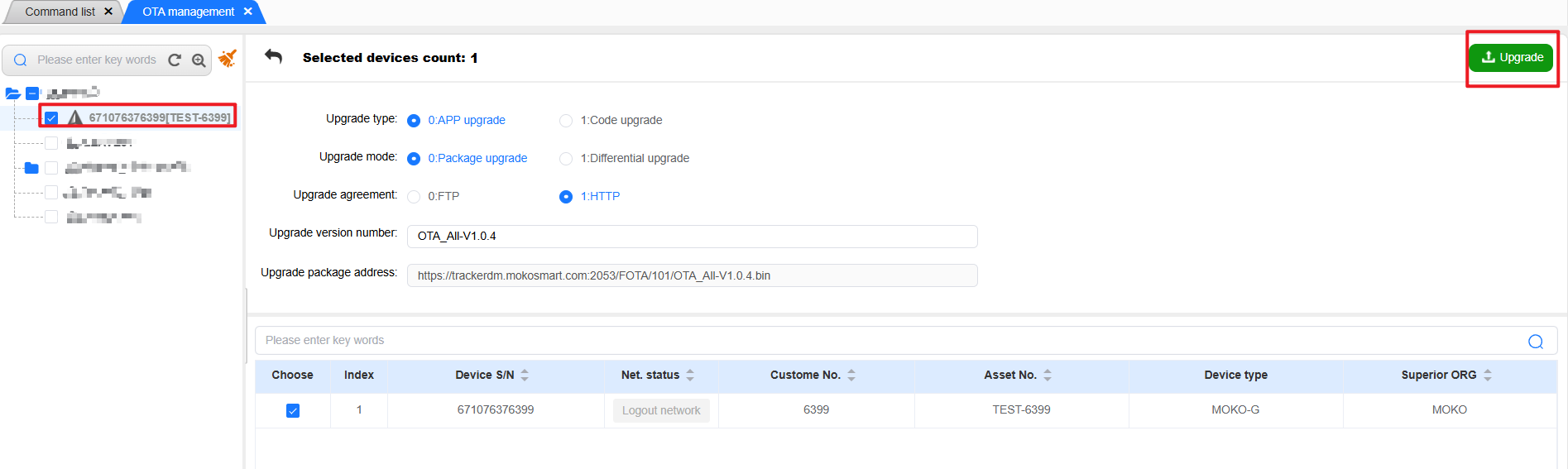
Last editor:admin Update time:2025-11-28 16:12