Asset Management
If users want to monitor the assets, which can be: vehicle, container, motorcycle, or other monitored objects, users can go to “Administrator-Asset management”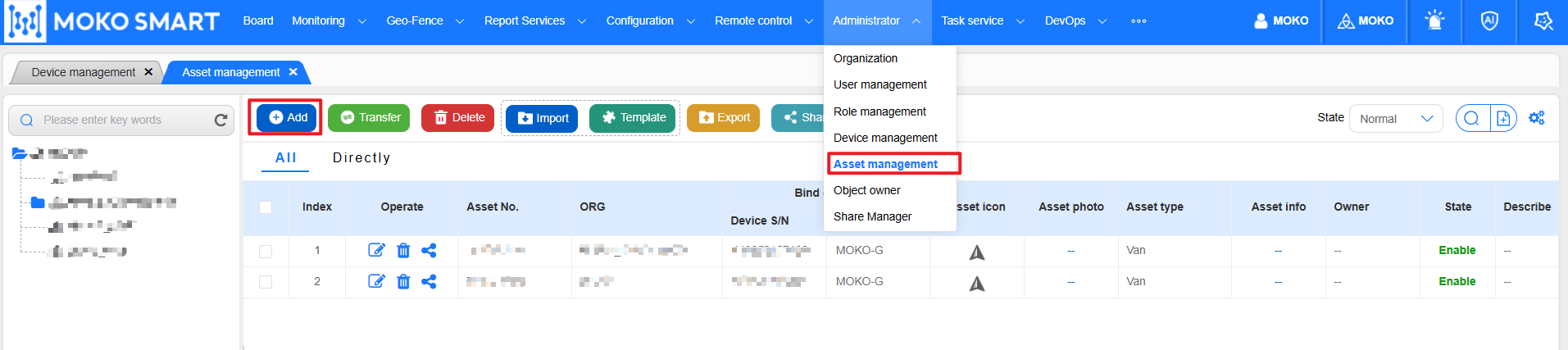
When creating an asset, the system dynamically presents the attribute fields of the asset according on the selected asset type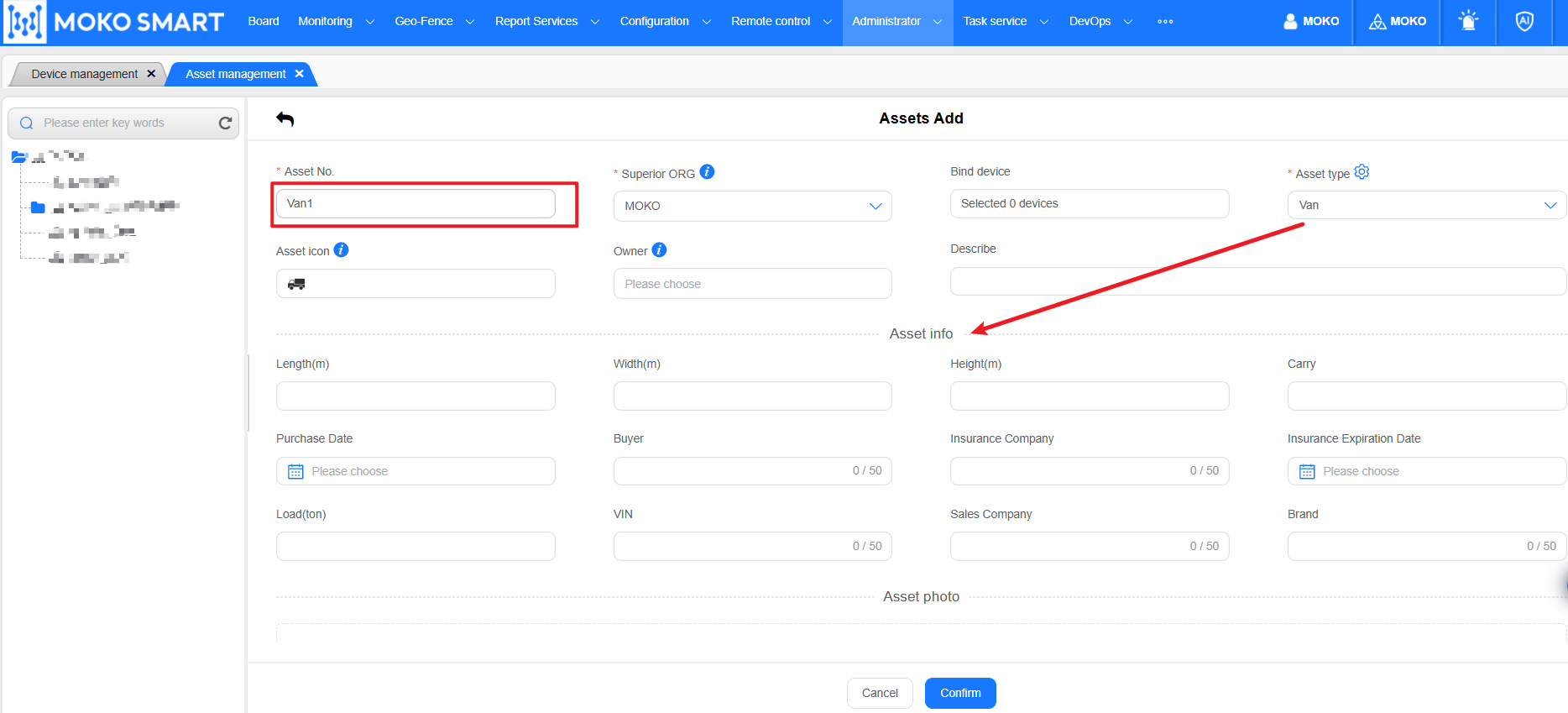
When adding or modifying an asset, you can associate a registered device and select a monitoring icon for the asset. This icon is consistent with the icon presented on the map when the map is monitored.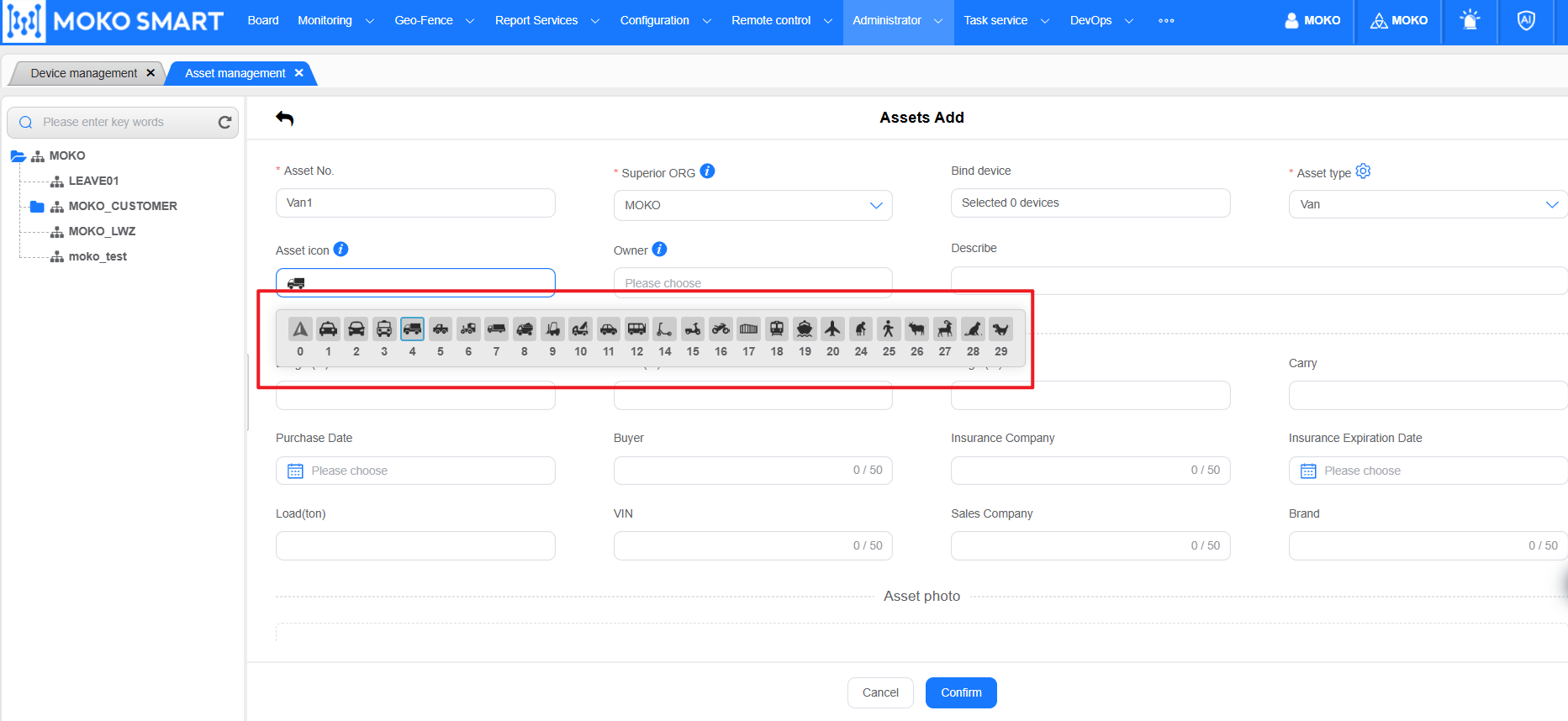
Assets can be bound to a Object owner, the person can be the driver of the vehicle, or the person of the container, etc.
Object owner Information can be maintained at: “Administrator——> Object owner” module.
Batch import the assets
Assets support batch import, first download the import template in the system, edit the asset information that needs to be imported into the template Excel, and then click the “import” button and select the edited file to complete the import operation.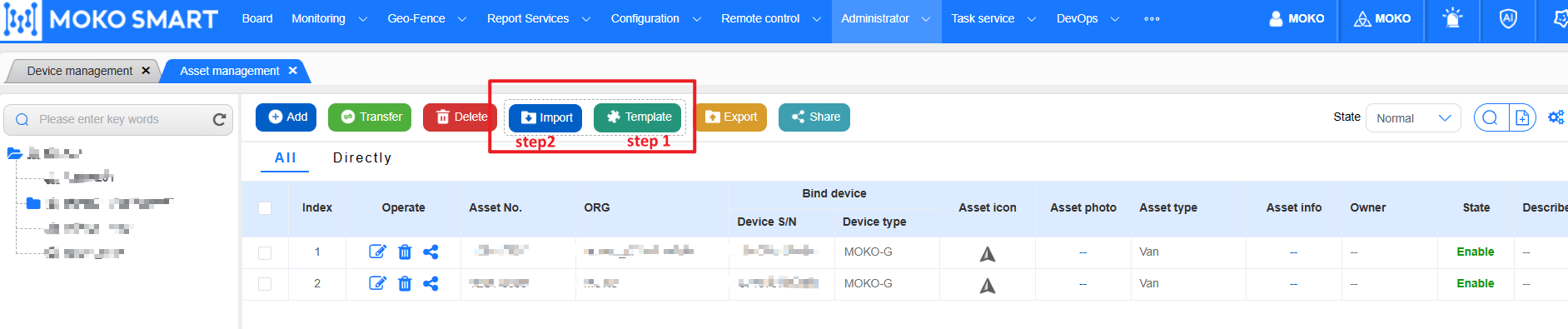
Last editor:admin Update time:2025-11-28 16:12