Asset Monitoring
In the monitoring interface, users can monitor the real-time status and playback of history status.
Real-time Monitoring
Go to “Monitoring-Object supervision”, users can select the device that you want to check on the “Device tree”.
After selecting the asset or device to be monitored on the left, the real-time status data of the device will be displayed under the system (an asset or device can be searched using the search box above the table header)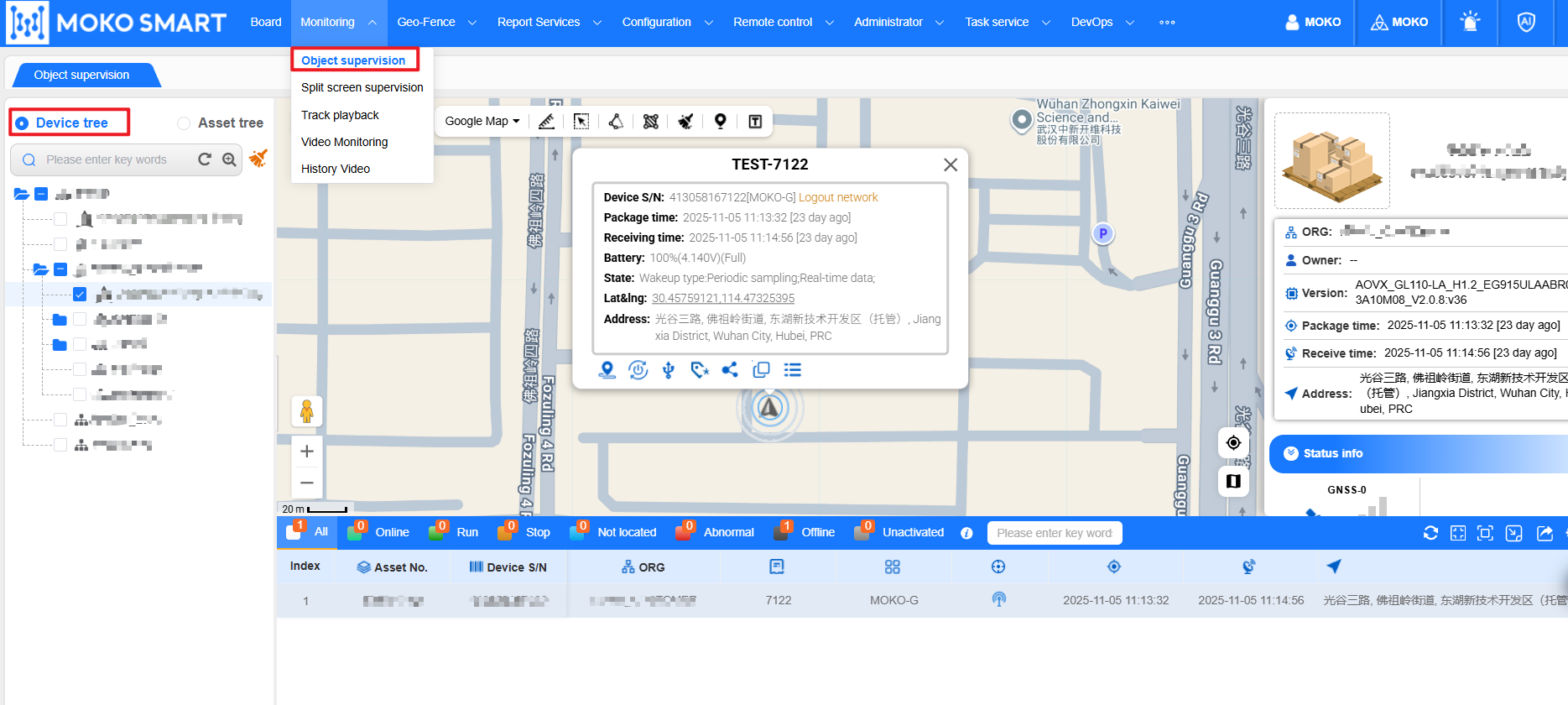
After clicking on an asset or device, the system will automatically locate to an asset or device, and then the system will display the detailed information of the current device, and the detailed information will be dynamically presented according to the attributes supported by the device.
And the status will be automatically refreshed.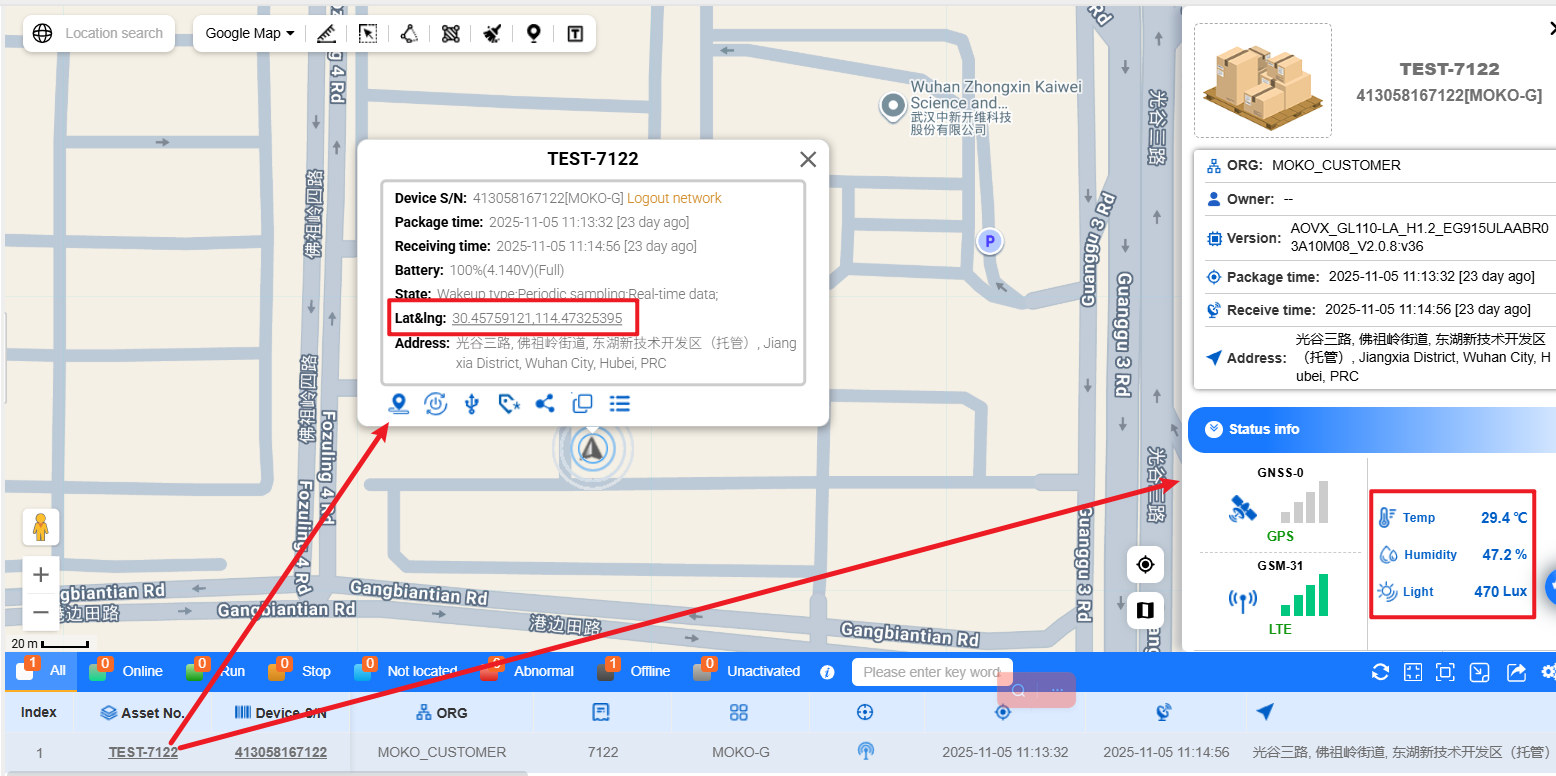
Track Playback
If users want to check the history status of device, users can go to “Monitoring-Track playback”.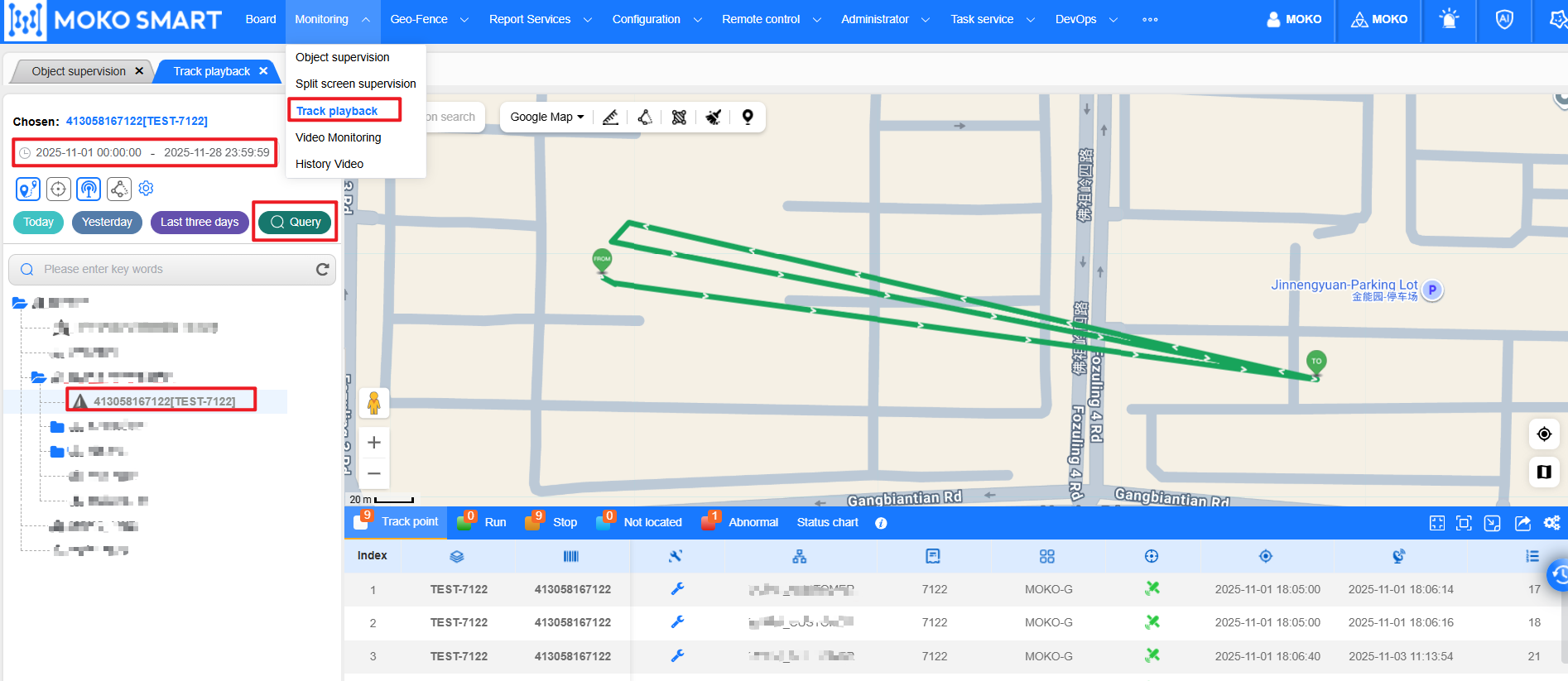
After go to “track playback” page, users can select the device on the device tree, and choose the time period, or users can click the last 3 days button to start quick inquire.
The playback will be shown on the map, and all the history data will be shown under the map.
Last editor:admin Update time:2025-11-28 16:12