Registering Device
After login in the account, users can create devices on the platform.
note: If users want to configure the device on the platform, users have to configure the server as 47.243.124.1:6608. So that the platform can receive data from device.
Navigate to “Administrator-Device management”, click the “Add” button to add device.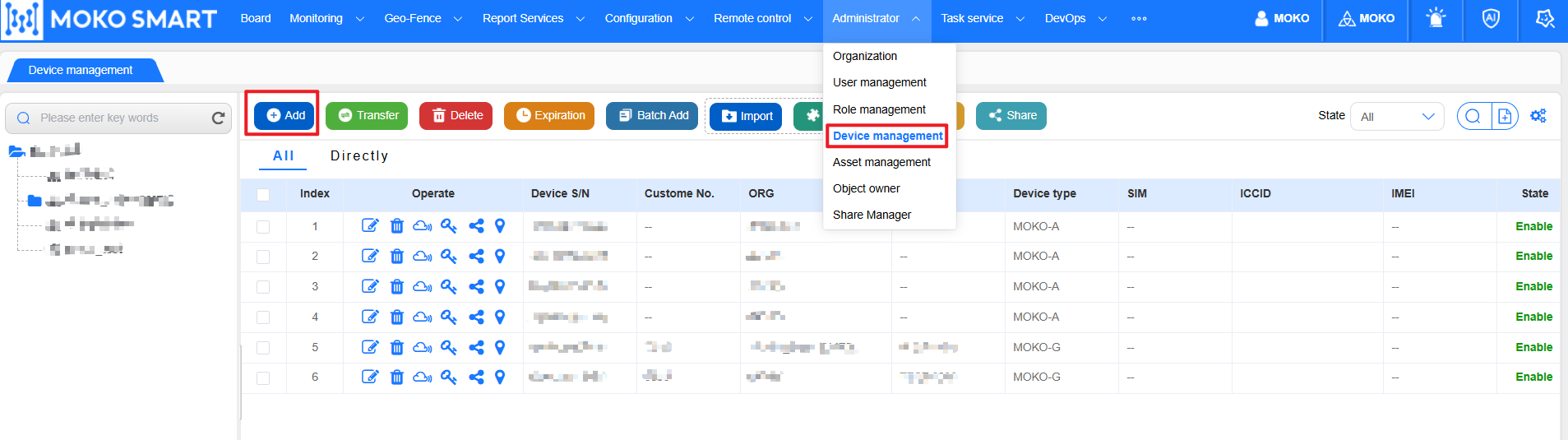
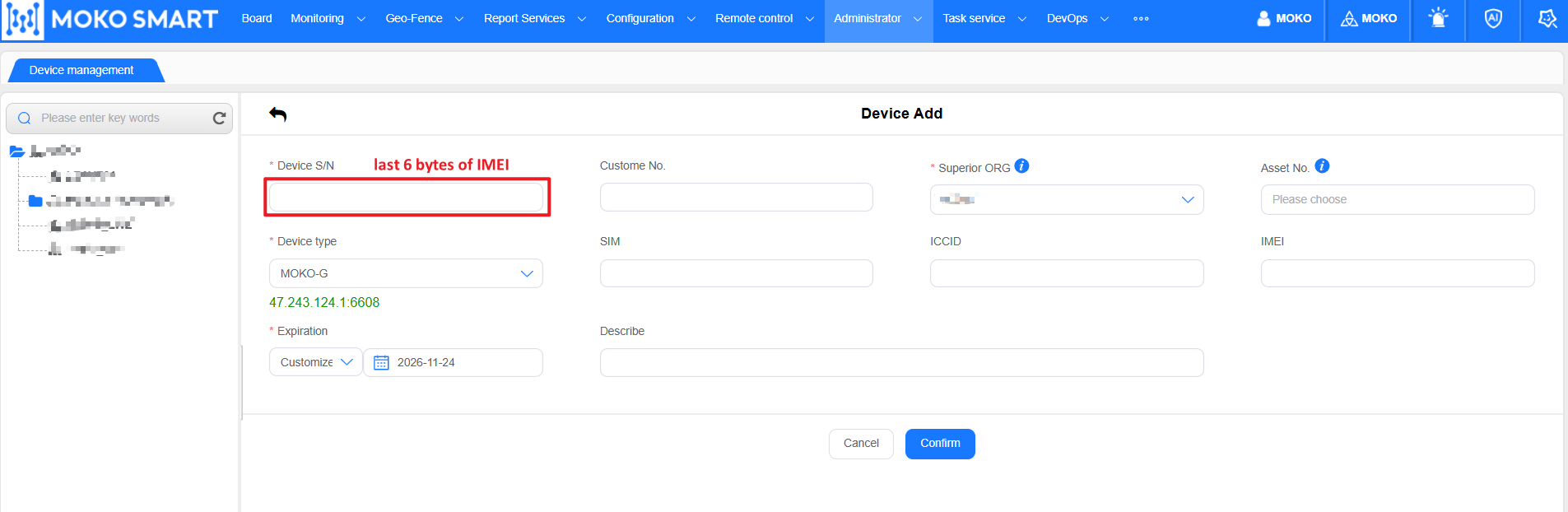
choose the corresponding device type, and the “device S/N” is the last 6 bytes of device IMEI.
the “Asset No.” is used for manage the device, users can go to the “Asset management” page to create the asset, or users can directly input the asset number, if there is no asset existing, platform will create the asset automatically.
Author:admin Create time:2025-11-21 09:48
Last editor:admin Update time:2025-11-28 16:12
Last editor:admin Update time:2025-11-28 16:12